Boundary conditions - Water contact in DELPHIN 6.1
1. Overview
The boundary condition Water contact models direct contact between the surface and liquid water. A water flux can occur in the boundary element. This water flux can be calculated using the pressure difference between the external pressure and the capillary pressure of the boundary element, or it can be specified directly. Furthermore, the extent to which the boundary element is already filled with water is checked in order to avoid oversaturation. If the water content is close to saturation, the flux is reduced or switched off. This boundary condition can only be used in the detailed surface model. Such a boundary condition can be used for modeling water buoldings, groundwater at cellar walls or for simulating water uptake experiment.
In addition to the liquid water flux, its enthalpy is also taken into account. For this purpose, the temperature of the water must be specified as a climate condition for all types.
There are 3 types:
-
Imposed flux
-
Surface value
-
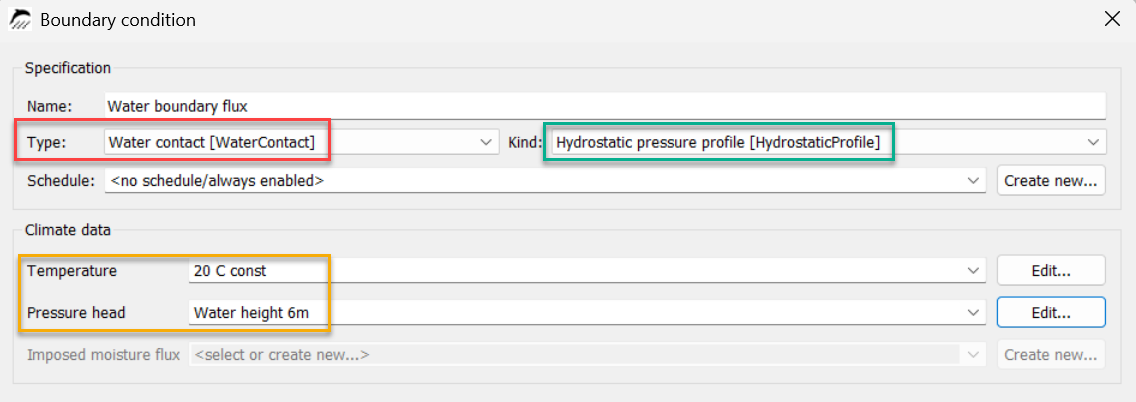
Hydrostatic pressure profile
1.1. Imposed flux
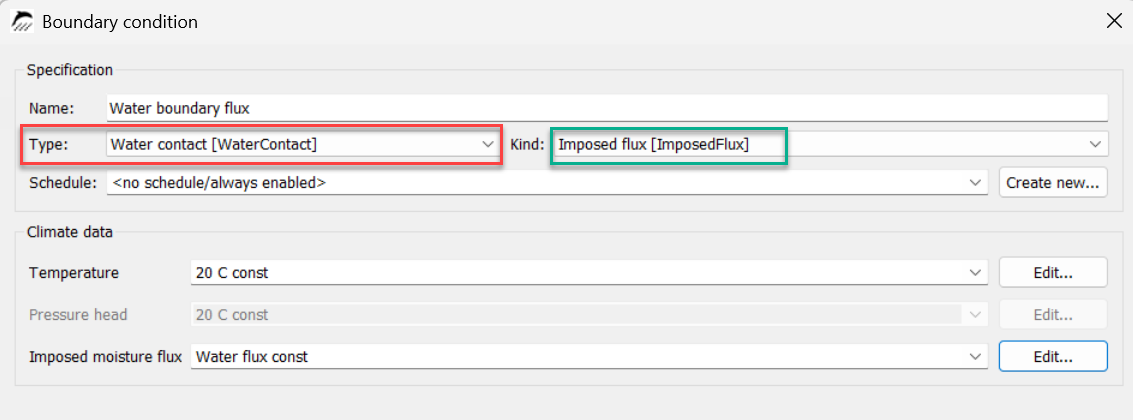
Here, a liquid water flux is specified as a climate condition. For constant values, the flux must be specified in kg/m2s. If a climate file in ccd format is to be used, the keyword WaterFlux must be used. Here is an example:
# This is an example
WaterFlux kg/m2h

0 01:00:00 0.0
0 02:00:00 0.001
10 01:00:00 0.001
10 02:00:00 0.0
365 00:00:00 0.0
Here too, as described above, the water flux is reduced or switched off near the effective moisture content of the boundary material. The dialogue box is shown below.
1.2. Surface value
In this model, water is applied at the specified pressure and temperature.
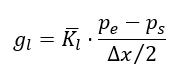
gl - Liquid water flow in kg/m2s
Kl - Average liquid water conductivity of the boundary material for the existing water content
pe - Pressure of the externally applied water (specified in the boundary condition)
ps - Capillary pressure in the boundary element
Δx - Thickness of the boundary element
The pressure and temperature are used as climate data and can therefore be time-dependent. The pressure itself is used as the pressure height. This represents the height of a water column. This height can also be negative, which then represents a tensile stress (suction stress). The image below shows the dialogue for such a boundary condition with a suction stress of -1 mm (corresponds to -10 Pa). The conversion from height to pressure is performed using the following equation:
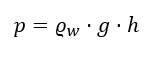
ρw - density of water (1000 kg/m3)
g - acceleration due to gravity - 9.81 m/s2
h - height of the water column in m
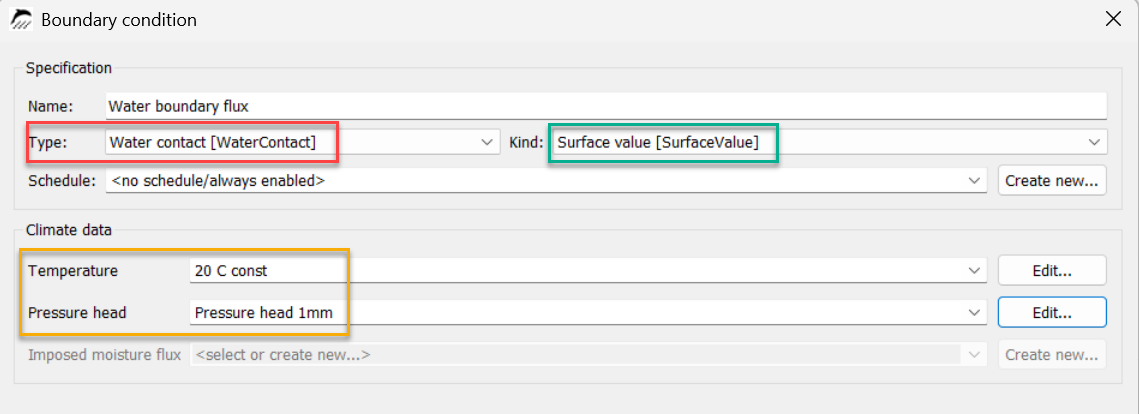
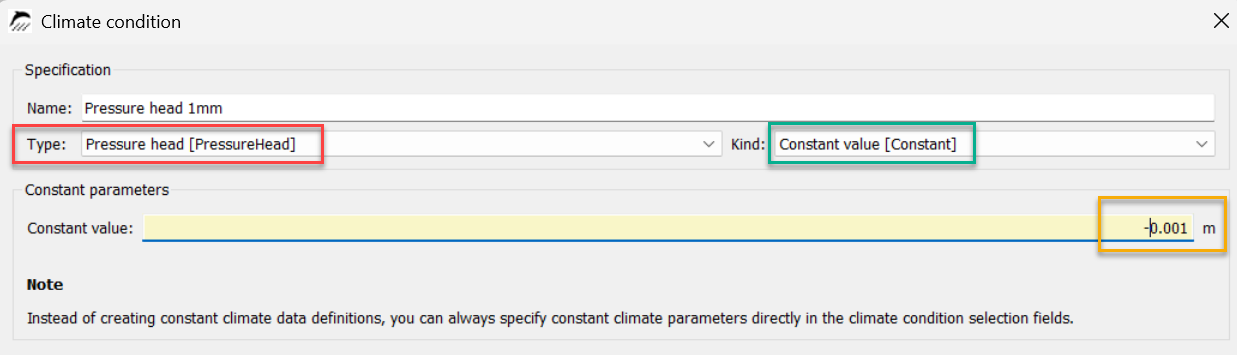
1.3. Hydrostatic pressure
As in the previous model, a pressure is specified here and the water flux is then calculated from this. However, the specified pressure represents the height of a water column in the y-direction of the structure. This means that the model can only be used for 2D or 3D structures. Furthermore, the surface used for this must extend in the y-direction. A typical application is exterior walls in contact with the ground that are also in contact with groundwater. The pressure height used can then be used to represent the height of the groundwater column to the bottom of the structure.
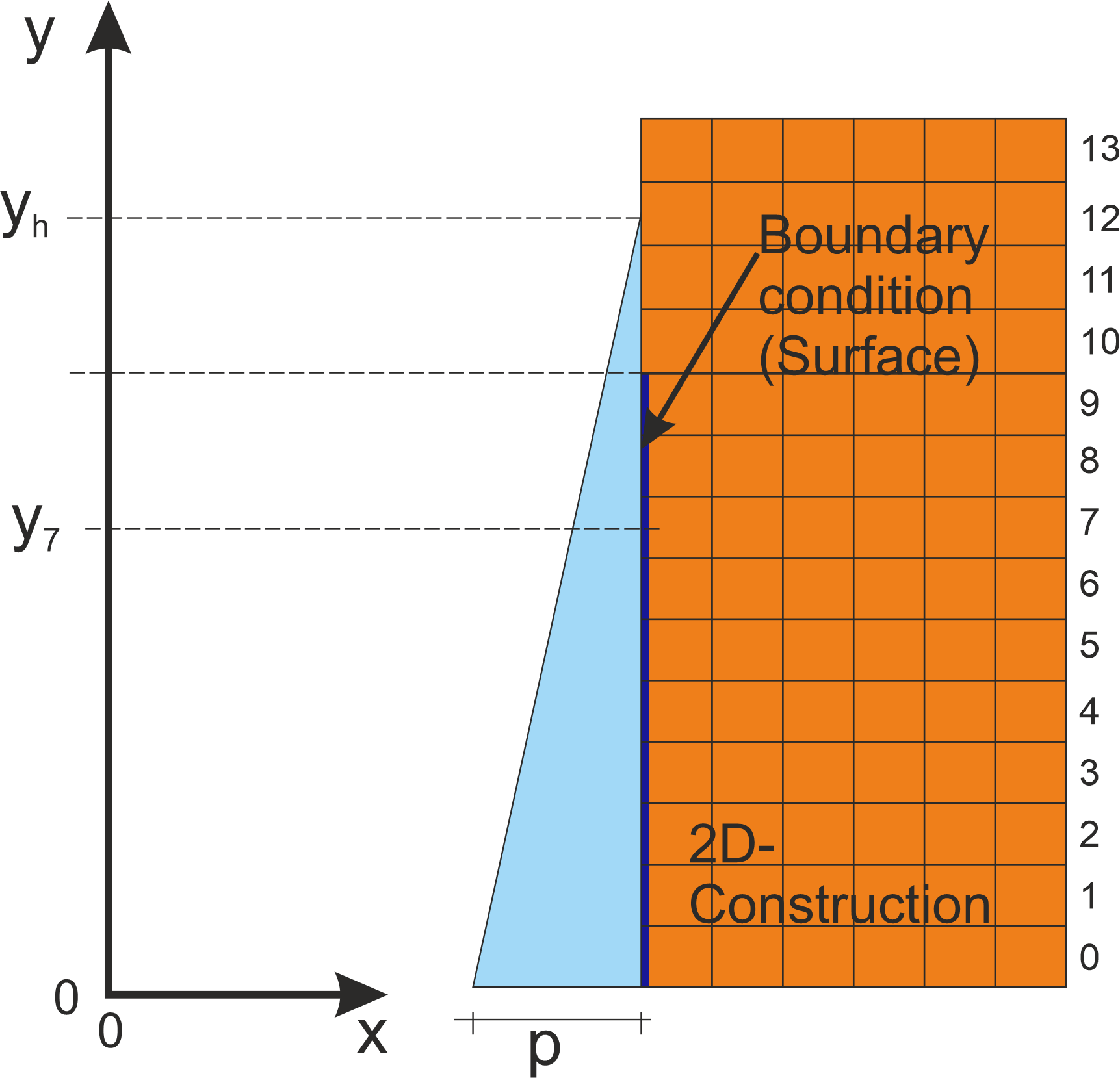
The image above shows a 2D structure. The grid indicates the discretisation. The numbers on the right represent the numbering of the elements in the y-direction. Delphin always uses a normal coordinate system with its origin in the lower left corner. The blue line on the left edge of the structure represents a surface in contact with water. The assignment was made in the y-direction from element 0 to 9. The blue triangle next to it now represents the hydrostatic pressure profile of the water column. The height of this water column is determined by the input in the boundary condition dialogue. Now, for example, the pressure for element 7 can be calculated as follows:
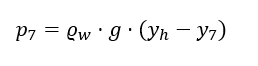
p7 - Water pressure for element at y-coordinate 7
ρw - Density of water (1000kg/m3)
g - acceleration due to gravity - 9.81 m/s2
h7 - coordinate of the centre of the element with y-coordinate 7 in m
hh - height of the entire water column in m
If the water column is lower than the coordinate of an element, a negative pressure would be calculated. In this case the water contact is switched off. That means we don’t have any liquid transport over this boundary.